Control the belt
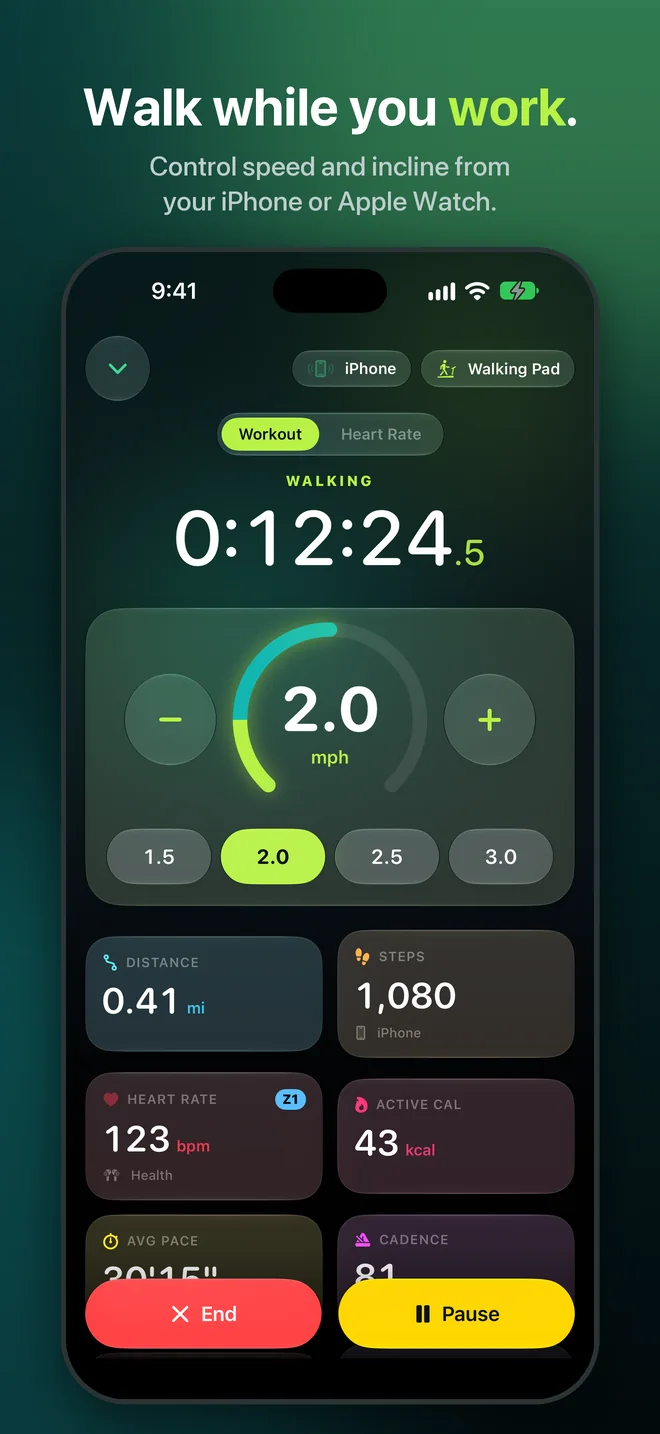
Start, pause and stop from iPhone or Apple Watch. Use one-tap speed presets and adjust incline when the treadmill supports it.
iPhone + Apple Watch · Bluetooth FTMS
Your walking pad, finally counted right. Control the belt, see live heart-rate zones, and save each desk walk to Health as a real Indoor Walk.
Coming soon to the App Store. Requires an FTMS-compatible Bluetooth walking pad or treadmill.
A keyboard changes how your devices see a walk. Desk Treadmill Tracker combines the treadmill, iPhone and Apple Watch so each metric comes from the source best suited to measure it.
Start, pause and stop from iPhone or Apple Watch. Use one-tap speed presets and adjust incline when the treadmill supports it.
Use treadmill measurements when available, motion sensors when reliable, and calibrated estimates when your phone and wrist stay still.
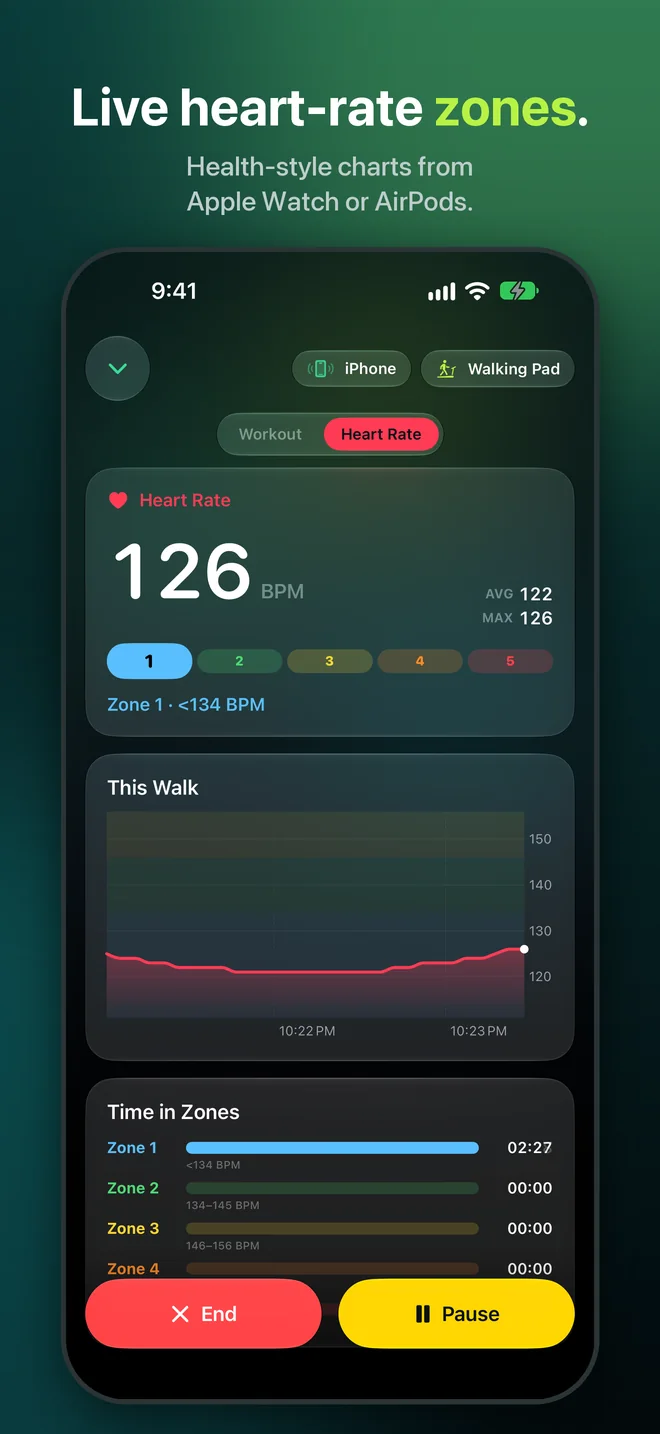
Follow live zones from Apple Watch or heart-rate sensing AirPods, with a Health-style chart for the whole walk.
Create a complete Indoor Walk with time, distance, steps, active and total calories, pace, cadence, heart rate and effort.
Control the session, understand your effort, step away without losing progress, and see exactly what was saved.
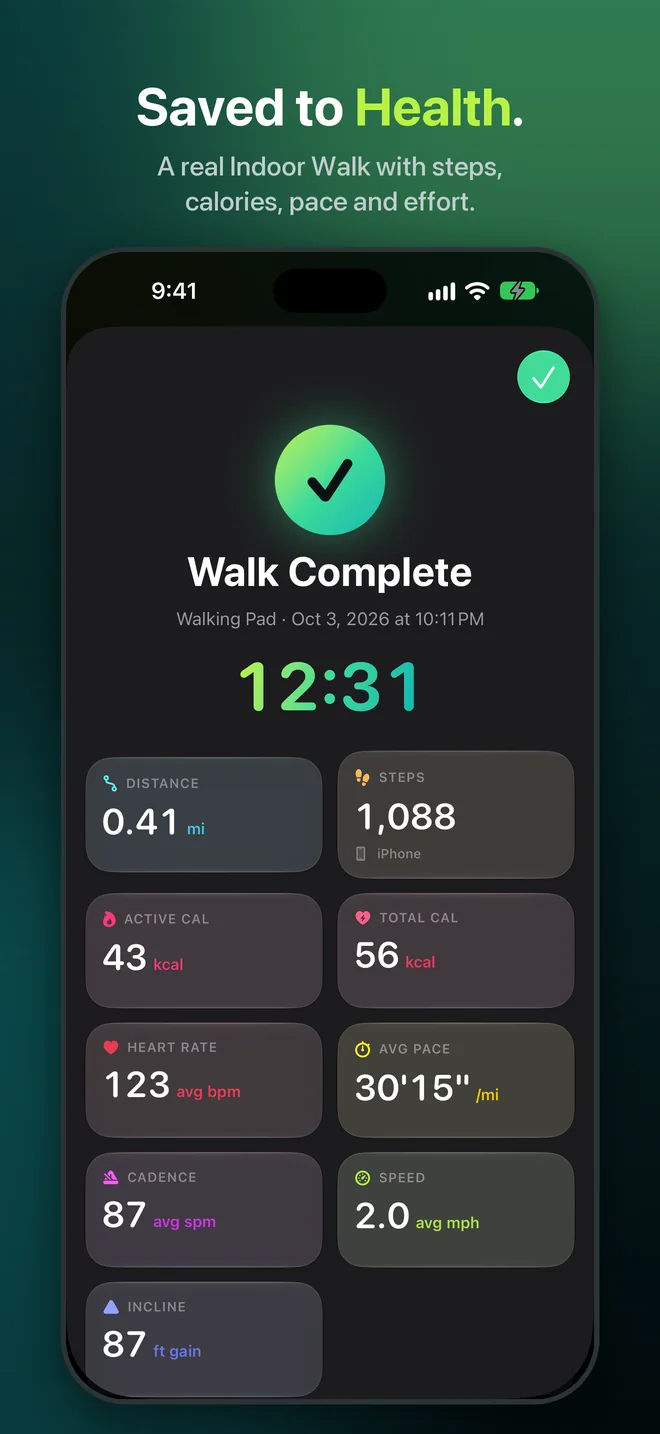
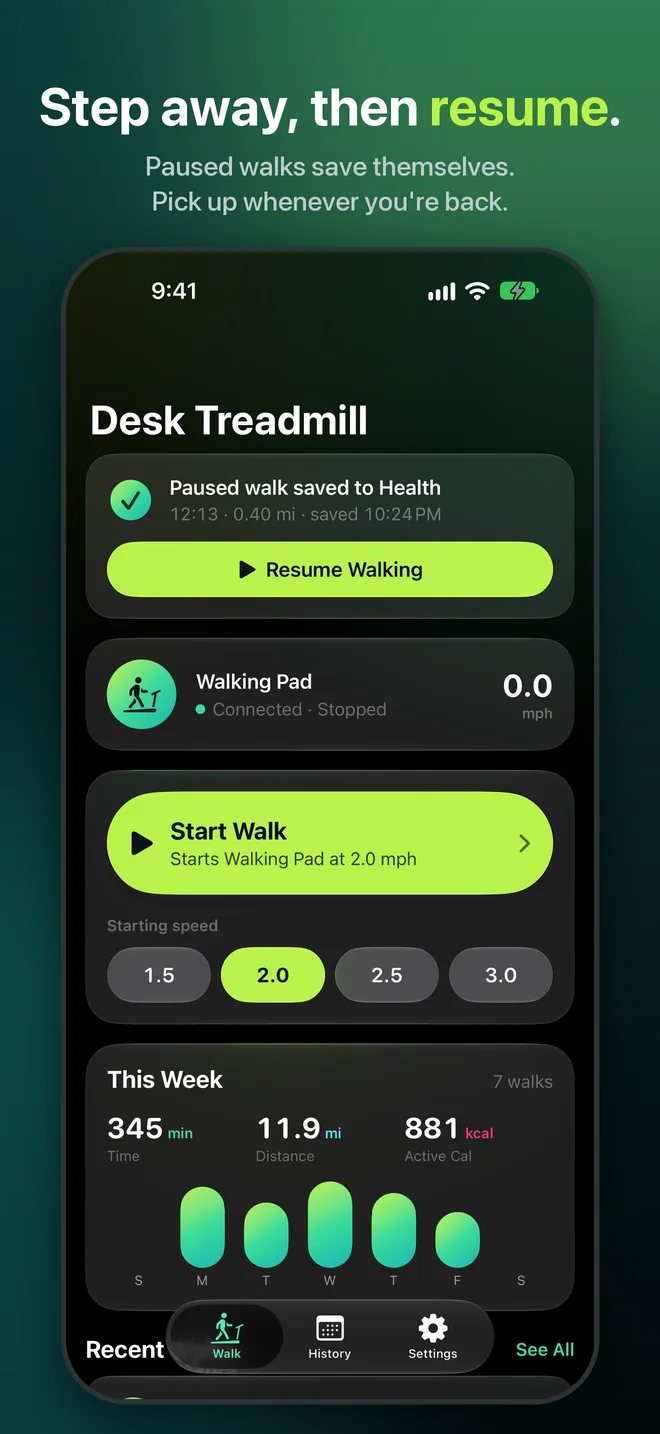
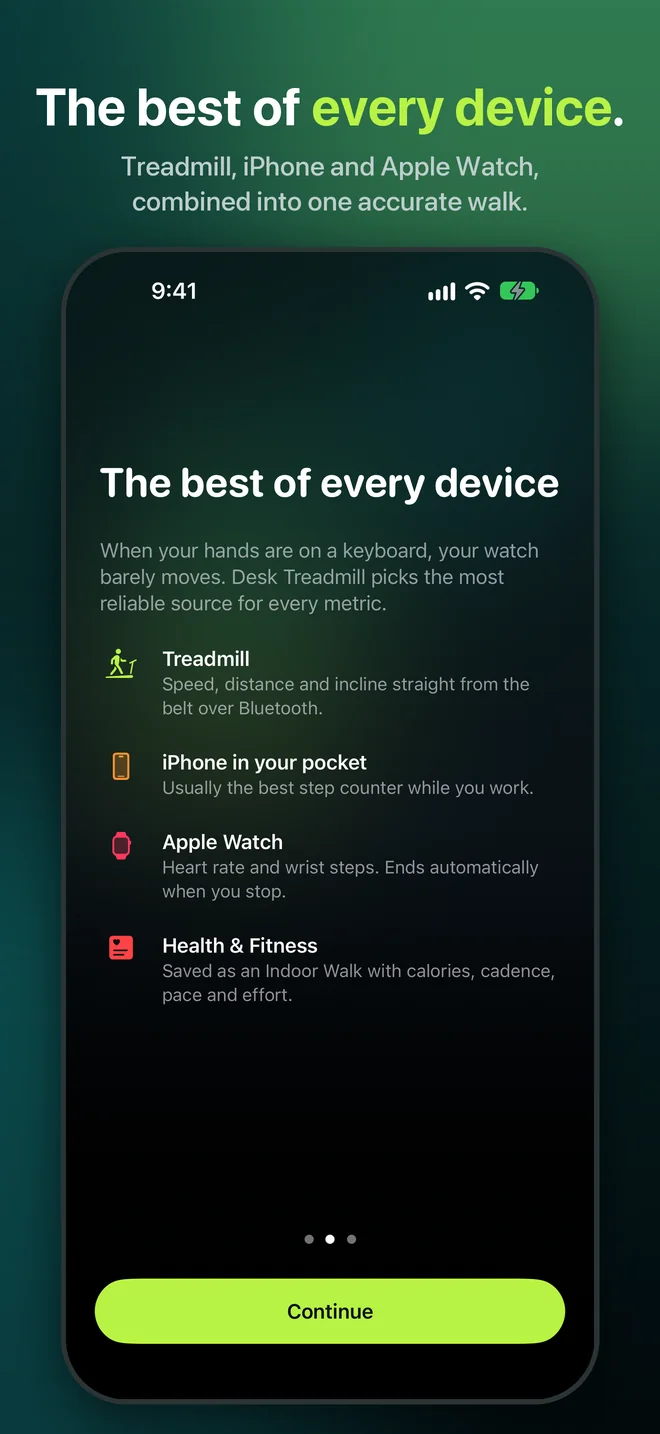
Hands on a keyboard can make wrist-based tracking underestimate a desk walk. The app combines available sources without pretending they all measure the same thing.
Support
Most connection and recording questions are answered here. For anything else, send us your iPhone model, treadmill model and what happened.
Contact supportAny walking pad or treadmill that supports Bluetooth Fitness Machine Service (FTMS). Models that work with apps such as Zwift or Kinomap often support FTMS. Desk Treadmill Tracker is extensively tested with the Merach W60; other treadmills provide the capabilities their firmware exposes.
Power on the treadmill, close its manufacturer app, then open the Walk tab and tap Connect. Many treadmills accept only one Bluetooth connection. After the first connection, Desk Treadmill Tracker reconnects automatically.
Open Settings → Health → Data Access & Devices → Desk Treadmill and enable the requested data types. The app shows a clear warning when Health cannot save a walk and keeps recoverable walks pending rather than silently discarding them.
Some treadmills accept speed or incline changes only while the belt is moving, and not every FTMS treadmill exposes control or incline. Close any other app connected to the treadmill and use its physical controls when a capability is unavailable.